
Editing Diagnostic Provider Connections
You can edit diagnostic provider information anytime from your practice settings. This includes both electronic and non-electronic connections.
How to Edit a Provider
- Go to Practice Settings › Diagnostic Providers.
- Locate the provider you want to update.
-
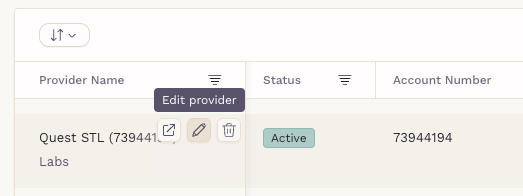
Click the pencil icon on the provider card.
-
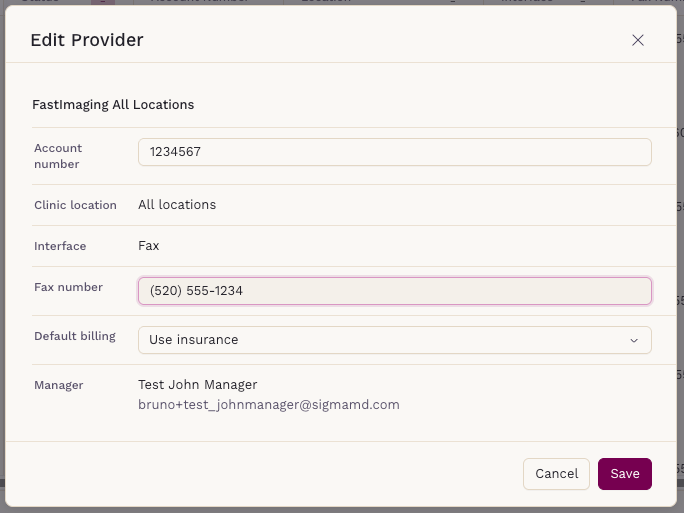
Update provider information, and click Save.
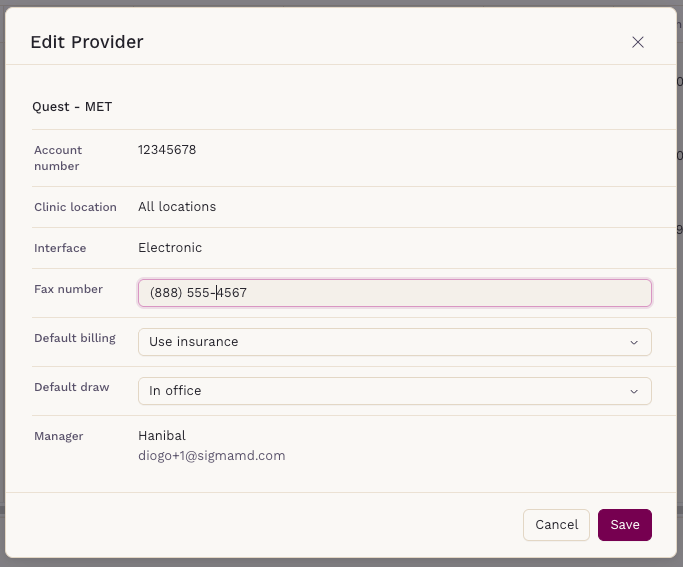
Depending on the type of connection:
-
Non-electronic connections: You’ll be able to edit both the fax number and the account number.
- Electronic connections: Only the fax number can be updated.
Pending Connections
If a connection is still pending, you can edit all fields — including provider name, type, account number, and fax number — until the setup is finalized.

After Editing
Changes are applied immediately and will reflect in all future orders sent to that provider. It’s recommended to verify that the updated details are correct before submitting new requests to ensure results and reports are properly routed back to your practice.