
Archiving and Deleting Forms
Managing forms over time is just as important as creating them. SigmaMD lets you archive or permanently delete forms you no longer need, helping keep your Forms list clean and organized without losing access to important patient records.
Understanding Form Statuses
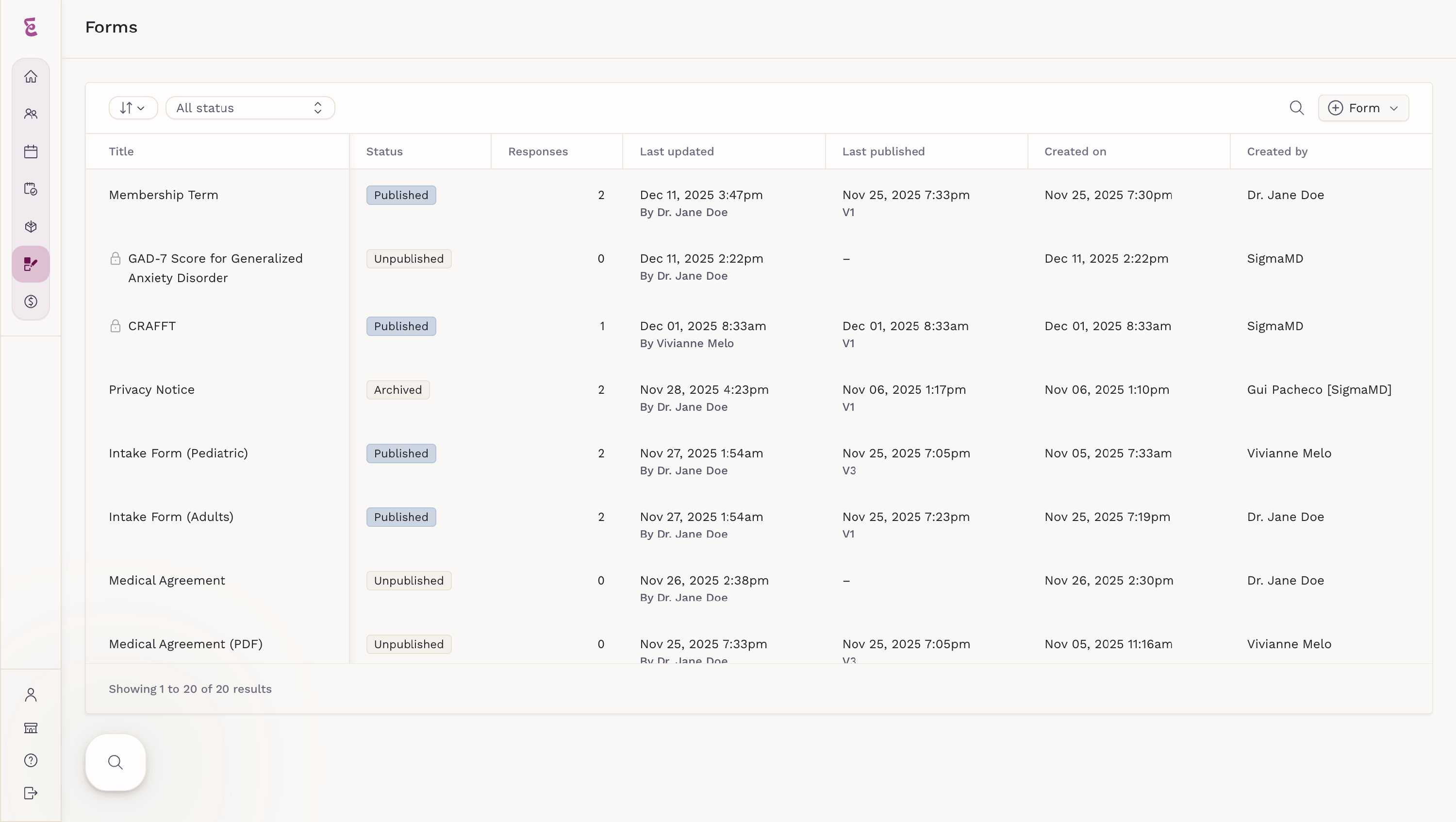
Before archiving or deleting a form, it’s helpful to understand how form statuses work:
- Unpublished: A form that has been created but is not available to send.
- Published: A form that is active and ready to be sent to patients or linked to appointment types.
- Archived: A form that is no longer active but kept for reference and record integrity.
The available actions depend on the form's current status.
Archiving a Form
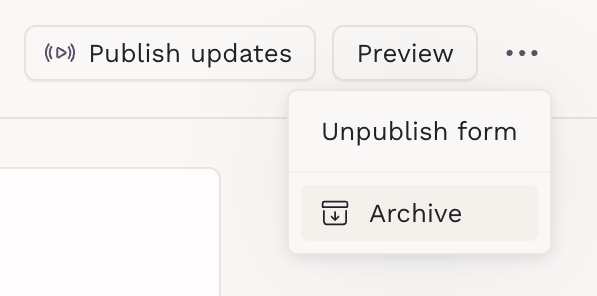
Archiving is the safest way to retire a form that is no longer needed when it has already been published. It prevents future use while preserving access to past submissions. Only published forms can be archived.
How to Archive
- Select the form you want to archive.
- Open the three-dot menu in the top-right corner.
-
Click Archive.
Deleting an Unpublished Form
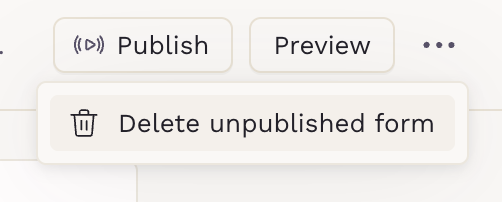
You can only delete a form if it is unpublished.
How to Delete
- Select the unpublished form.
- Open the three-dot menu in the top-right corner.
-
Click Delete unpublished form.
Deleted forms are permanently removed and cannot be recovered.
Unpublishing and Deleting a Form
If a form has already been published but you no longer want to keep it, you can first unpublish it and then delete it. Unpublishing removes the form from active use, meaning it can no longer be sent to patients or linked to appointment types.
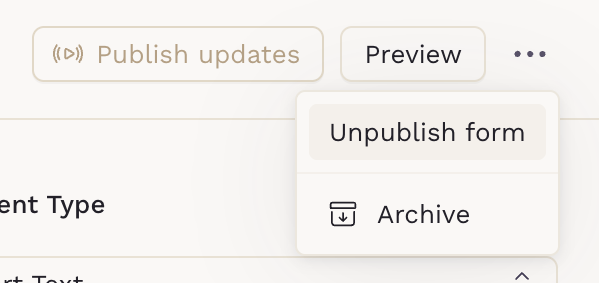
Once the form is unpublished, you can permanently delete it. Deleting a form removes it entirely from your Forms list and cannot be undone. This option is intended for forms that were published by mistake or never actually used.
What Happens to Patient Data?
- Archiving or deleting a form does not remove any patient submissions
- Completed forms remain visible in the patient chart
- Links previously shared with patients can still be accessed
- Review history and form entries are preserved
This ensures clinical documentation stays intact.
Best Practices
- Archive forms instead of deleting to preserve documentation
- Use clear naming conventions to avoid accidental duplication
- Review archived forms periodically to keep your list organized