
Permissions to Delete a Draft Note
Draft notes are protected by role-based permissions to ensure accountability and prevent accidental removal of clinical documentation. Deletion rights depend on who created the draft and who is viewing it.
Below is how deletion permissions work.
Who Can Delete a Draft Note
A draft note can be deleted by:
- The creator of the draft note.
- The ordering clinician, if the draft was created by a non-ordering role (such as a nurse, allied health professional, medical assistant, or non-clinical staff).
This allows ordering clinicians to manage documentation created on their behalf while preserving ownership rules for clinician-created drafts.
Who Cannot Delete a Draft Note
A draft note cannot be deleted by:
- An ordering clinician viewing a draft created by a different ordering clinician.
- Any non-ordering role, regardless of who created the draft.
These restrictions ensure clinical documentation remains controlled by the appropriate responsible provider.
Tooltip Messages
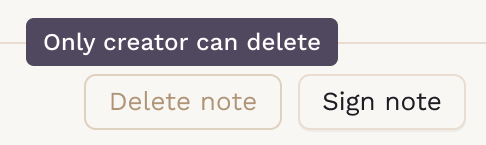
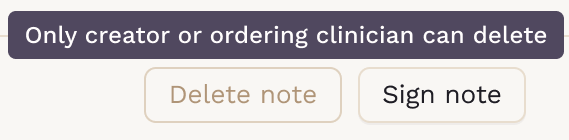
When a user does not have permission to delete a draft note, the delete button will be disabled, and a tooltip will appear explaining why:
-
“Only creator can delete.”
Shown when an ordering clinician attempts to delete another ordering clinician’s draft.
-
“Only the creator or ordering clinician can delete.”
Shown when a non-ordering role attempts to delete a draft.
If the user has permission, the Delete note button will be enabled and no tooltip will be shown.

How to Delete a Draft Note
- Navigate to the patient's chart and open the Notes section.
- Select the draft note you wish to delete.
- Click the Delete button at the bottom of the note editor.
- A confirmation dialog will appear with the message: "Please note that this action is irreversible and cannot be undone."
- Click Confirm to permanently delete the draft note, or Cancel to keep it.

Upon successful deletion, you will see a confirmation message: "Draft note deleted successfully."
Important
Once a draft note is deleted, the action cannot be undone. Always confirm that the draft is no longer needed before deleting it.