
Allowing Patients Under 16 to Access Their Chart Data
By default, minors may not have direct access to their chart depending on your configuration and local regulations. If you need to grant access without modifying the patient’s date of birth, you can do so by creating a caregiver profile.
This method allows the minor to access their chart while preserving accurate demographic information.
How It Works
You will create a caregiver profile using the minor’s email and phone number, then link that profile to the child as their legal guardian. This avoids changing the child’s date of birth.
Step-by-Step Instructions
1. Create a New Patient Profile (Caregiver)
- Go to Patients.
- Click Add Patient.
- Enter the minor’s email address and phone number.
- Use a fictional or placeholder name for the legal guardian profile (for example: “Legal Guardian – [Child’s Name]”).
- Save the profile.
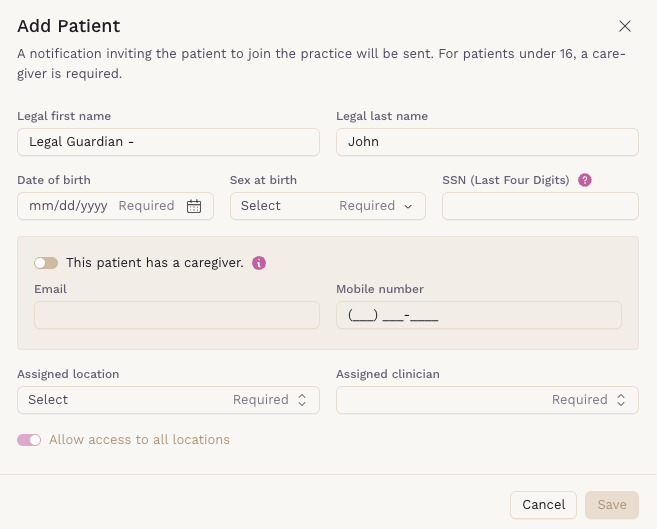
This new profile will function as the caregiver account.
2. Assign the Caregiver to the Minor
- Open the minor’s patient chart.
- Navigate to the Caregivers section.
- Add the newly created caregiver profile.
- Save your changes.

Once linked, the caregiver account (using the child’s email and phone number) can log in and access the minor’s chart data.