
Retrieve Patient Medication History in DoseSpot
SigmaMD allows you to retrieve a patient’s medication history from Pharmacy Benefit Managers (PBMs) through DoseSpot.
How to Retrieve Medication History
- Open the patient chart
- Click eRx
- Scroll to the medication section
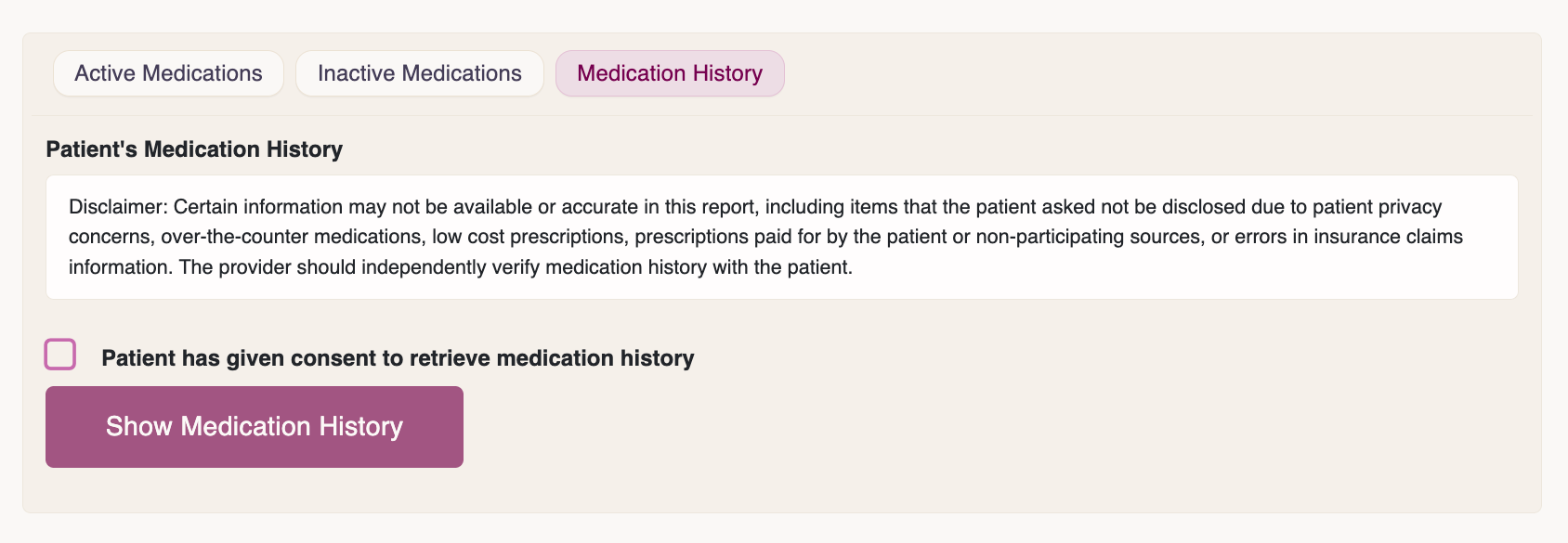
- Click the Medication History tab
- Check the patient consent box
- Click Show Medication History
Please allow a few moments for the system to fetch the data.
Important Notes
- Medication history is generally available only when insurance was used for prescriptions
- Not all medications may appear
- Availability depends on PBM reporting
Adding Medications to the Chart
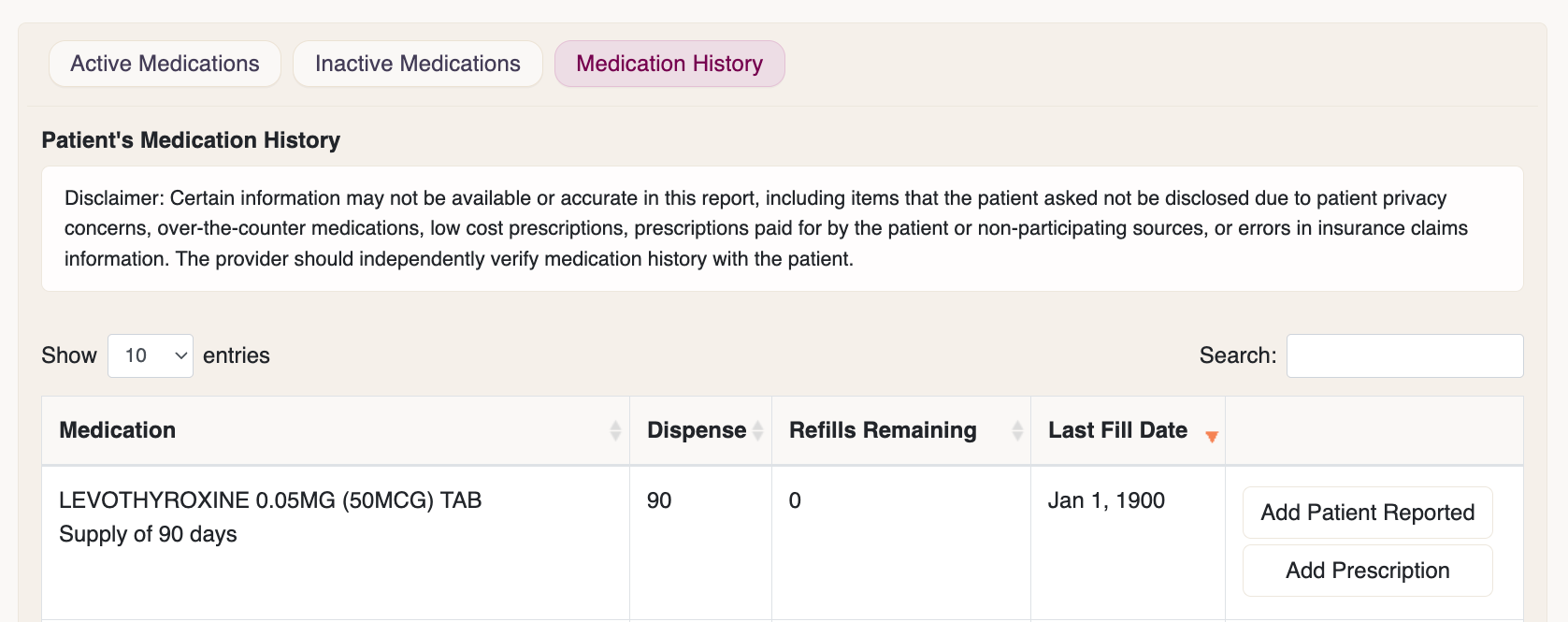
If medications are returned:
- Select the medications you want to import
- Click Add Patient Report
- Update details if needed
- Click Save Medication
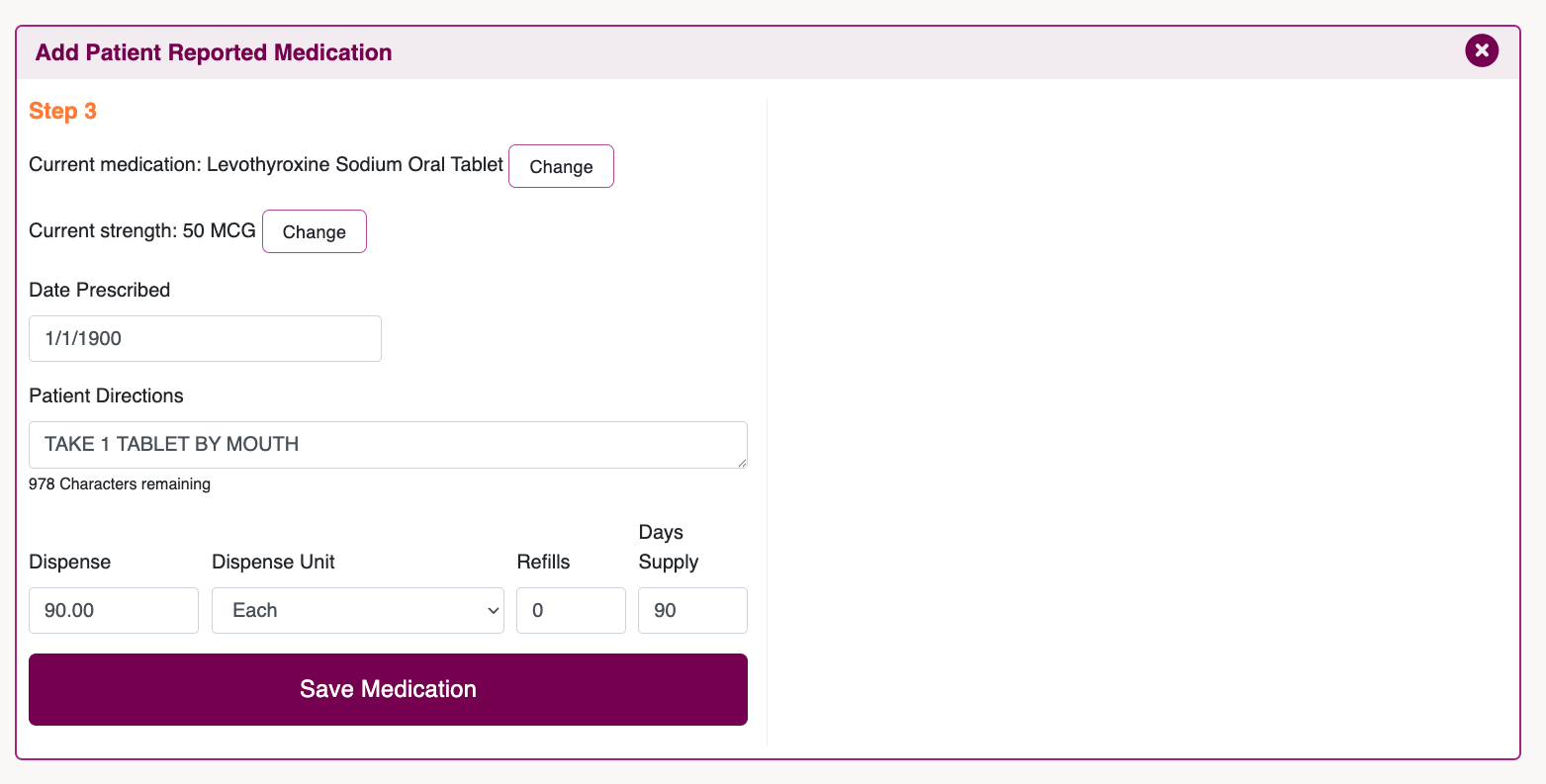
The medication will sync automatically with the SigmaMD chart when you close DoseSpot.
If you need assistance, contact our support team.