
Release Notes – June 25, 2026
This update expands employer management capabilities, adds structured ordering for labs and imaging, and brings intake forms into the patient enrollment flow. Several long-requested workflow improvements are also included.
Employer contract management
Clinics can now manage the full lifecycle of employer contracts from the employer profile. This includes terminating active contracts, creating new ones, and reviewing the complete contract history.
To terminate a contract, open the employer profile and click the terminate action on the contract card. You can set a termination reason (optional), specify an end date up to one year in the future, and confirm. Once terminated, the contract moves to history with its end date displayed.
To create a new contract, use the add contract action on the same card. The contract history popover shows all past and current contracts, including downloadable documents.

Fax lab ordering with a preloaded compendium
Clinics can now order labs via fax directly from a built-in CPT catalog. The compendium is preloaded for all fax providers, so you no longer need to enter order details manually.
Important: check your lab panels and favorite tests for fax providers to rebuild your lists.
Forms in patient enrollment
Enrollment Terms in Billing Settings now use the SigmaMD interactive PDF forms, instead of the previous static PDF option. Patients are prompted to complete assigned forms as part of enrollment.
This means you can build a PDF form with your patient agreements, adding checkboxes, text, and signature fields across the file. Then, later, link the form to an enrollment link.

Fax: change the recipient and resend on a failed fax
When a fax fails to send, you can now change the recipient or phone number and resend without starting over. Open the failed fax, select 'Change recipient', update the contact or number, and resend. This applies to both individual and previously saved contacts.

Visit-type labels updated
The visit-type labels have been renamed for clarity. "Telehealth" is now "Video" and "Phone Consultation" is now "Phone." This change applies across the web app, clinician mobile app, and patient app.
Scored matrix total score in notes
When adding a scored matrix form response to a patient note, the total score is now included automatically. The score appears alongside the response content, so it is visible in the note without opening the form separately.
Other improvements
-
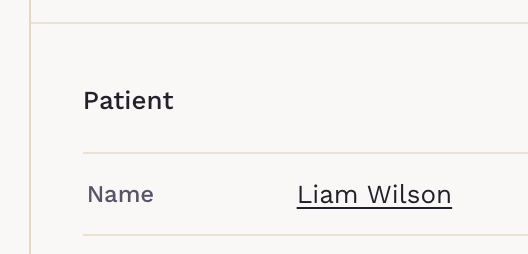
Patient and employer names throughout the platform are now hyperlinks — click to go directly to their profile.
- The forms' status filter has moved to the table header and now supports selecting multiple statuses at once.
- A Return to List button has been added to the PDF form viewer.
Can't See the Changes?
If you don’t see the updates right away, try performing a hard reload to refresh the platform properly. For detailed instructions, visit our guide.