
Viewing a Form's Activity Log
The Activity Log gives you a complete, time-stamped history of everything that has happened to a patient's form — from the moment it was sent to the latest edit — so you always know who did what, and when.
Opening the Activity Log
- Open the patient's Chart → Forms tab.
- Select the form from the list.
-
Click the Activity log tab at the top of the form.
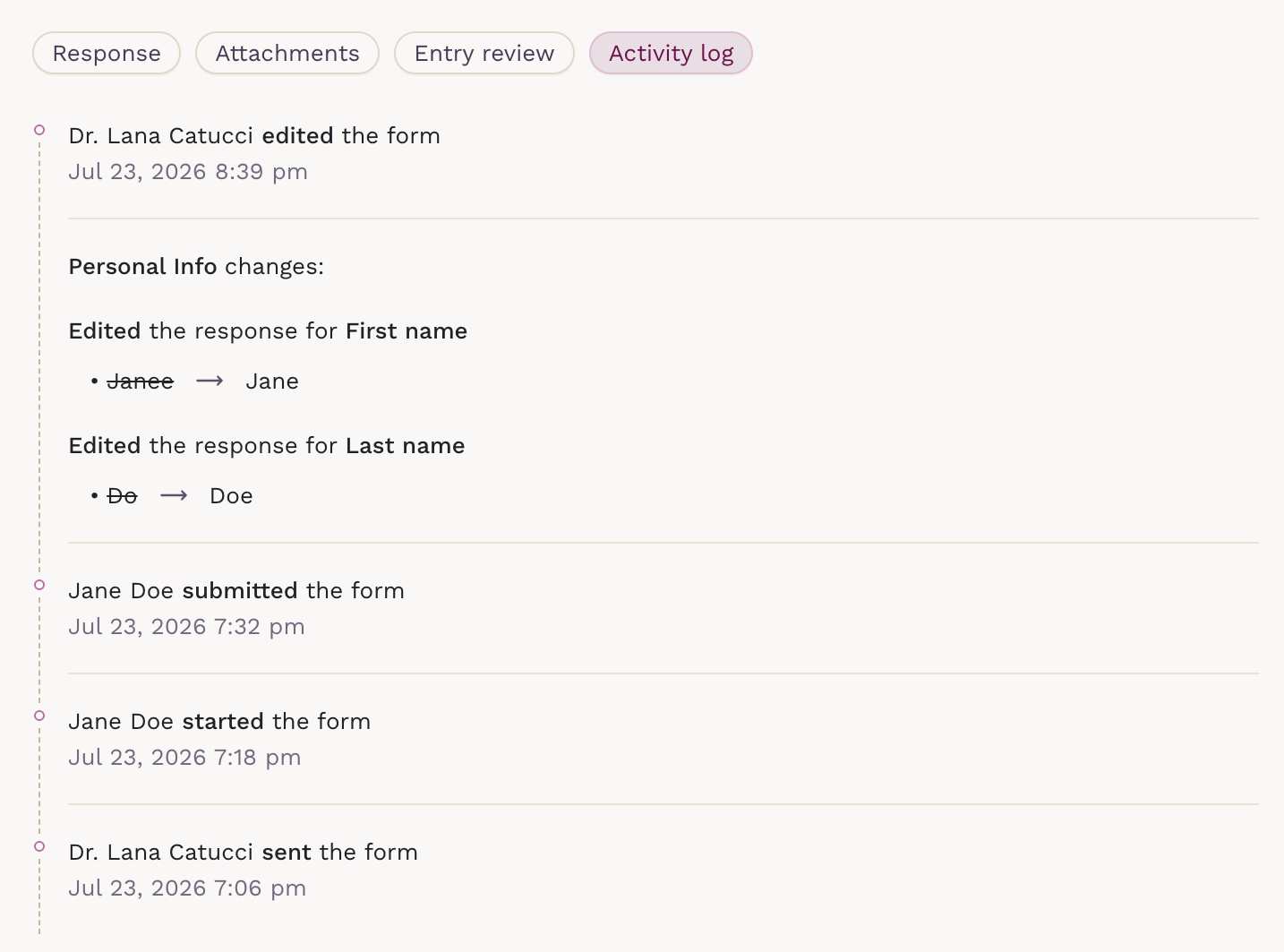
Entries are listed newest first, each showing the actor and exact timestamp.
What the Activity Log Tracks
- Sent — a clinician shared the form with the patient
- Started — the patient began answering
- Submitted — the patient completed the form
- Edited — a clinician changed responses after submission
- File uploaded or deleted — e.g. Front of ID, Patient ID, Insurance Info
- Marked as reviewed / Set to pending review — review status changed
Viewing Response Edits
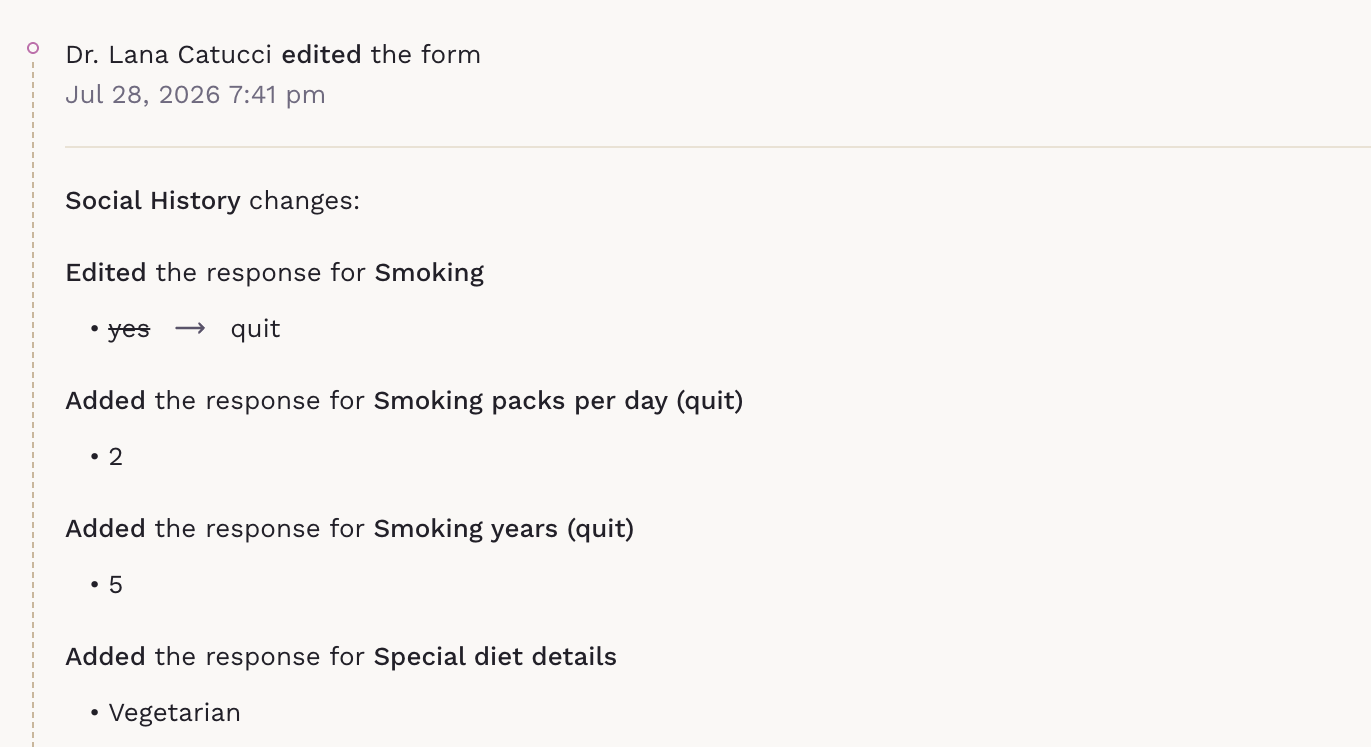
Edits expand to show the change: old value struck through, new value beside it. Multiple fields changed before a single save are grouped together.
Keeping an Audit Trail
The log is read-only — entries can't be edited or removed, giving your practice a reliable audit trail for documentation integrity and compliance.