
Form Packages
A form package is a group of forms that you send together. Instead of picking the same five intake forms for every new patient, you build the package once and send it in a single action.
Packages live alongside your forms, under the Packages tab of Form packages.

What a Package Holds
The packages list shows each package with:
- Name and Status, either Active or Inactive
- Forms — how many forms it currently contains
- Created On and Created By
Packages built into SigmaMD show SigmaMD as the author and carry a lock icon beside their name. The ones your practice creates show the team member who made them.
The New Patient Package
Every practice has one package built by SigmaMD, named New patient. It carries a lock icon, shows SigmaMD as its author, and starts out holding your practice's intake form.
While it is Active, its forms are pre-selected every time you add a patient. You can still adjust the selection before saving.
This package cannot be renamed or deleted. You can change its status and the forms inside it — set it to Inactive to stop it from pre-selecting anything.

Building a Package
A package is built from forms you have already created, so create those first.
- Open Form packages and select the Packages tab.
- Click + Package.
- Enter a name under Package title. Names can be up to 70 characters.
- In the list on the left, click Add to package on each form you want to include. Use the search field to narrow the list — forms you have already chosen are marked Already in this package.
- Review your selection on the right. Remove a form to take it back out, or open it in a new tab to check its contents.
-
Click Create package.
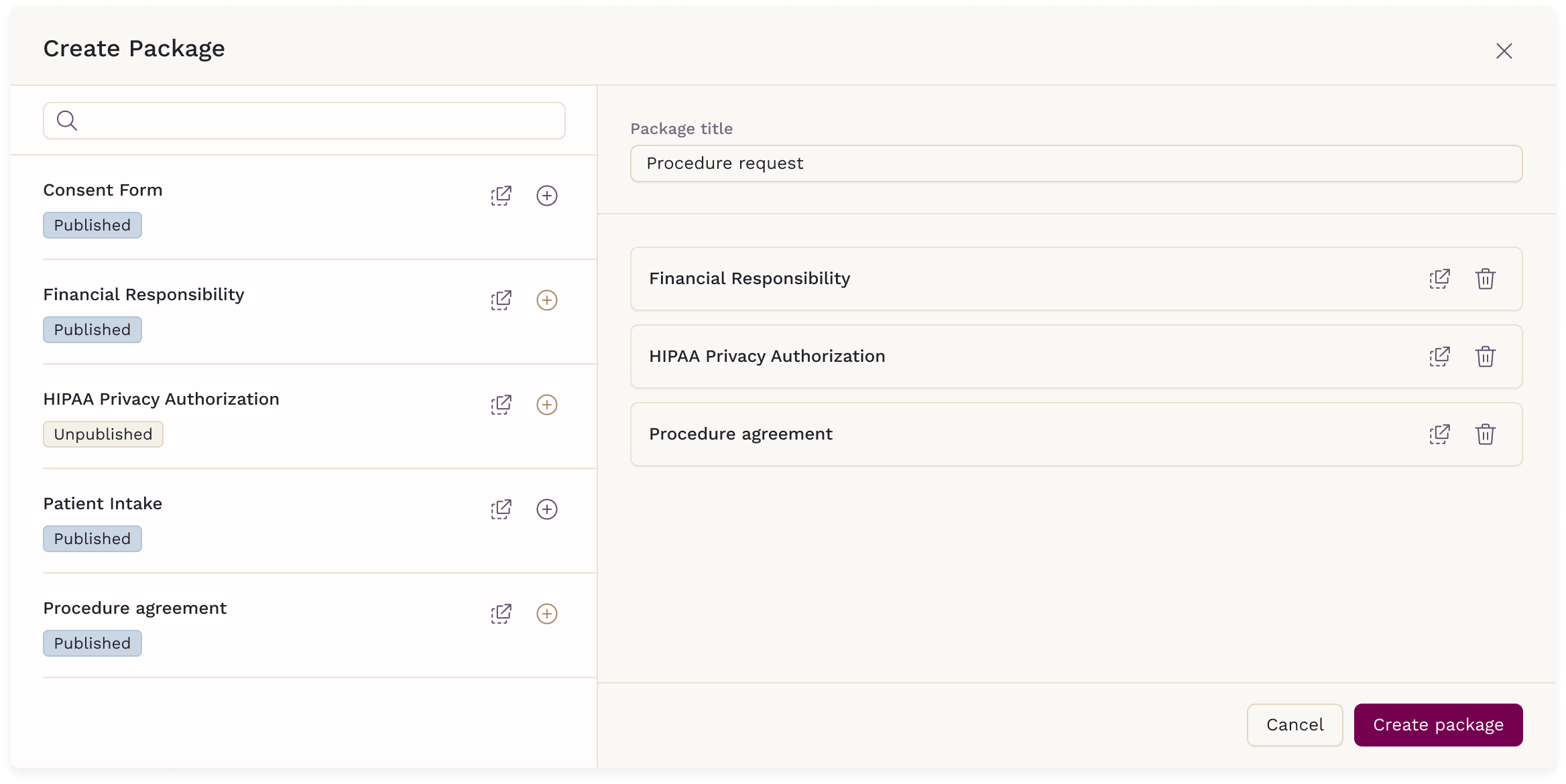
The package opens on its own page as soon as it is created.
New packages start as Inactive. A package cannot be set to Active until it holds at least one form, and only Active packages can be sent — so add your forms first, then set the status.

Manage Package
Manage package opens the package's own page, where you change what it contains and how it behaves. It is the one action available on every package, including the ones built by SigmaMD.

The page has two parts:
- Package Settings
-
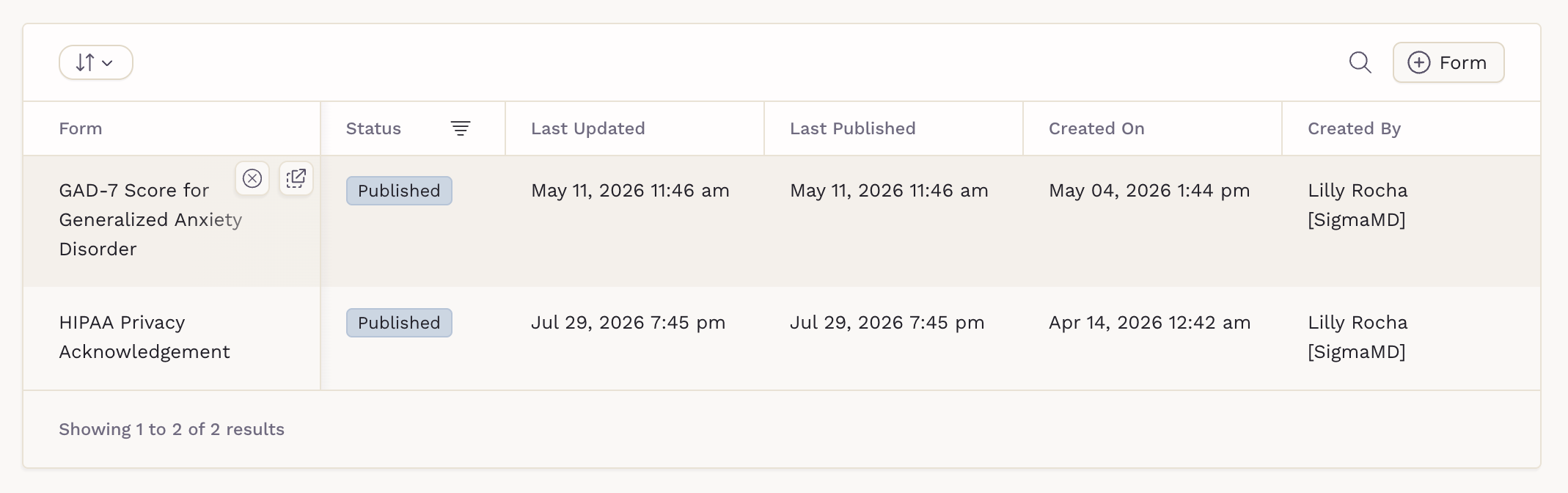
Forms — the forms currently in the package. Click + Form to add more, then Confirm to save your selection. On any row, Remove form takes a form out and Go to form opens it. Sorting only changes how the list is displayed on this page.
Send Package
Send package sends every form in the package to one or more patients at once. It appears only on Active packages. Hover over the package row and click Send package and select the patients you want to send it to.

Packages can also reach patients from several other places:
- A patient's chart
- A chat message
- A broadcast to a group of patients
- The Add Patient dialog, when you create a patient
- An appointment type, so booking that appointment sends the forms
The patient receives the forms as one set, which keeps intake tidy on both sides.
Delete Package
Delete package permanently removes a package. This option is available only for packages created by your practice; packages built by SigmaMD cannot be deleted.
To delete a package, hover over the package row, click Delete package, then click Confirm.

Before you delete:
- The action cannot be undone.
- The forms inside the package are not deleted — only the grouping is removed.
- An appointment type linked to that package stops sending it.
To stop offering a package without losing it, set its status to Inactive instead. The package and its forms stay in place, and it no longer appears as an option to send.