
Customizing Bottle Labels
Medications dispensed in your clinic, except injectables, print a bottle label with the patient, medication, directions, lot and clinic details. You choose what else prints, and whether the label is in English or Spanish.

What You Can Add to a Label
Each toggle adds one item to the label:
- Generic name: the generic name, under the medication name
- Principal active ingredients: for compounds, your text under the name, up to 60 characters
- Do not flush: prints DO NOT FLUSH
- Discard date: prints DISCARD AFTER with the date
- Auxiliary warnings: your warning text, up to 100 characters
- Pill description: what the pill looks like, up to 40 characters
The discard date is one year from dispensing, or the lot's expiration date if that comes first.

Where the Settings Come From
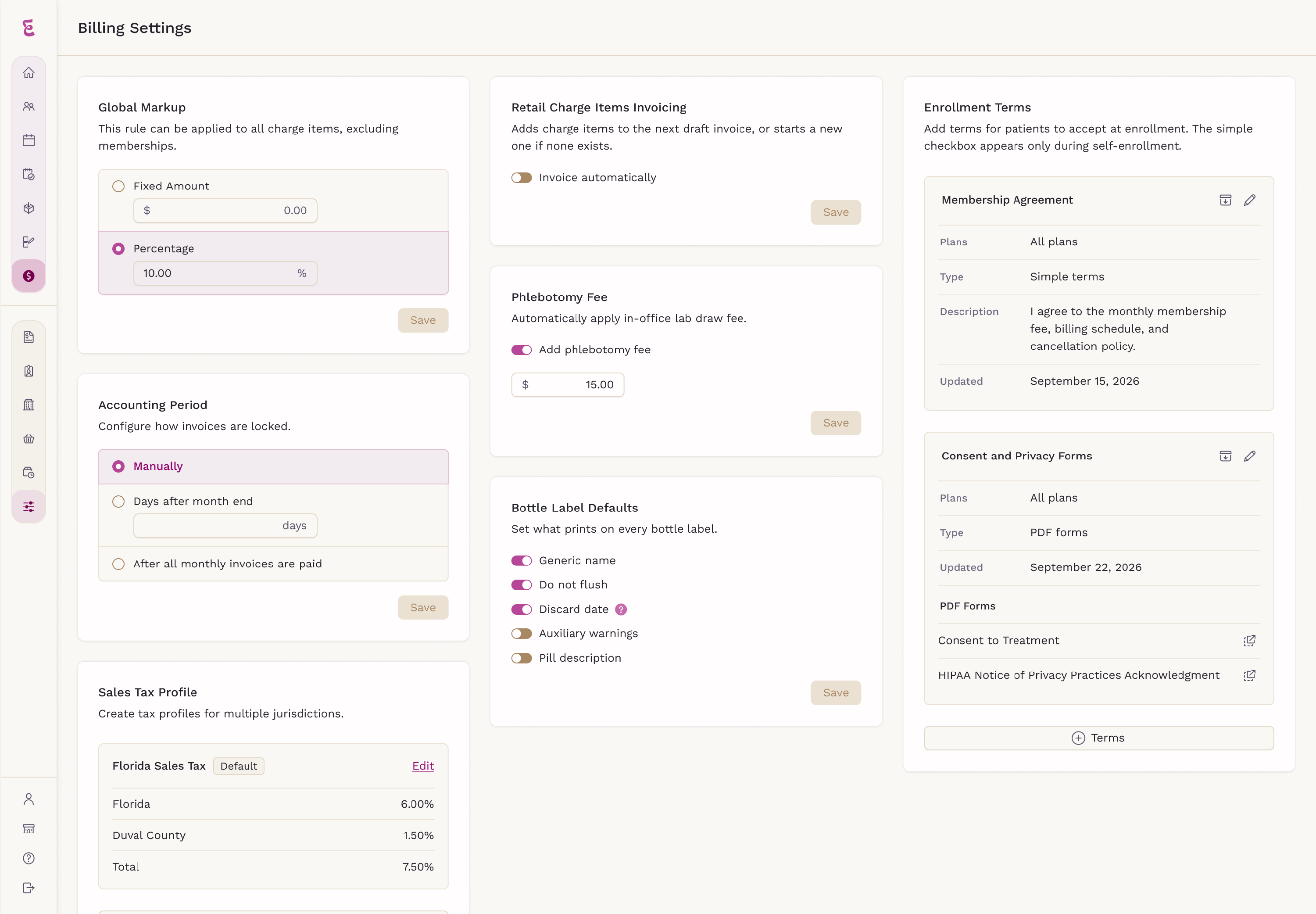
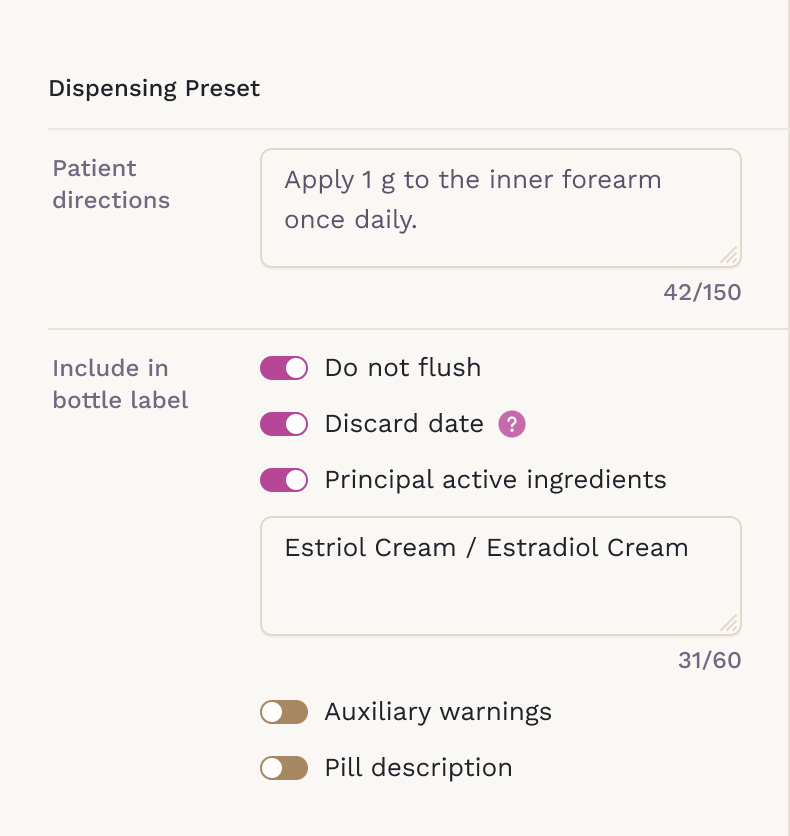
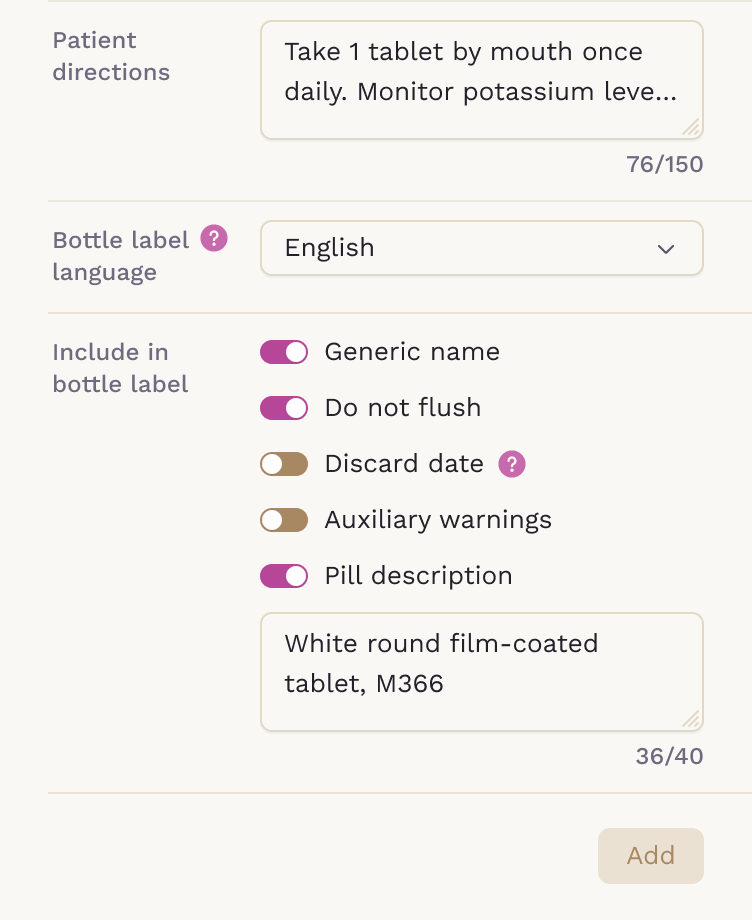
Bottle label settings work at three levels, and each one starts from the level above it:
-
Practice default: the Bottle Label Defaults card in Billing > Settings
-
Medication item: the item's Dispensing Preset in Charge Items
-
Each dispense: the medication form on the Dispense Medication screen
An item follows the practice default until you save different settings for it.
When you add a medication to an order, its toggles start from the item's settings, and changes apply to that dispense only.

Bottle Label Language
On the Dispense Medication screen, Bottle label language prints that medication's label in English or Spanish. It starts as English for every medication. Only the label's own wording is translated, such as Qty, Lot and DO NOT FLUSH. Directions and any text you type print as entered.

Important Considerations
- Injectables have no bottle label, so these settings don't appear
- Generic name isn't offered for compounds or medications without a drug code
- Principal active ingredients has no practice default; set it on each compound
- Changing a default doesn't change medications already added to an order
- A reorder starts from the item's settings, not the previous label
Setting your defaults once keeps labels consistent across your clinic, while each dispense can still be tailored to the patient.