
Mastering Variables
Variables let you auto-insert patient-specific details (like name, DOB, clinician, etc.) into notes, messages, and templates. They speed up documentation and keep wording consistent across your team.
See the full variable catalog here: List of SigmaMD Variables.
Where to use Variables
Notes & Templates
- Clinical Notes (inside the text editor)

- Note templates (with Scribe enabled or not)
- Snippets
Patient Chart entries
- Patient directions (medications)
- Care plan (problems)
- Management measures (allergies)
- Memo (Vitals)
- Follow-up plan (Procedures)

Calendar
- Internal notes
- Note to patient

Tasks
- Description

Inbox
- Messages
- Internal notes
- Fax cover page

Broadcast
- Subject
- Message

How to insert a variable
On any of the supported fields listed above:
- Place your cursor where the value should appear.
- Type $ to open the Variables picker and search for the field you need.
-
You can advance typing to narrow down the list. E.g.:
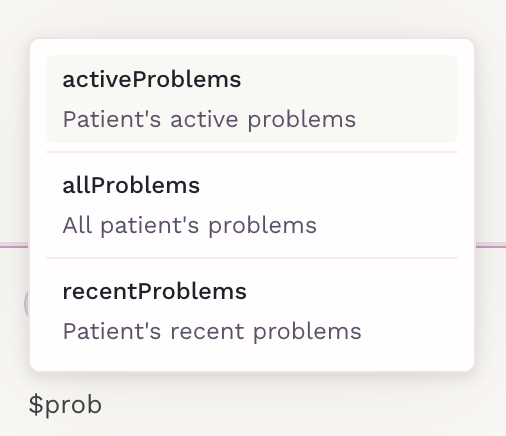
- Navigate through the list using your keyboard arrows and press Enter to insert the desired variable or click on the one you'd like to insert.
Tips for accurate use
- Make sure the data exists in the patient’s chart. Missing data will be inserted as blank or as "No records available".
- Review before sending (messages/broadcasts) to verify the final wording.
- Keep in mind that variables pull directly from the patient record.
Use variables wherever you document to make your workflow faster, clearer, and more consistent.