
Release Notes - April 09, 2026
This update focuses on clinical documentation, appointment management, and employer plan automation — designed to reduce manual steps in your daily workflow.
ICD-10 Diagnosis Codes on Appointments
You can now attach ICD-10 diagnosis codes to appointments. It can be done from the patient's chart when creating or reviewing a problem, or from the calendar. Learn more here

In the appointment type settings, add a default diagnosis and require one for attended appointments if this is required for your reporting.

Form Responses: Add or Attach to Note
Patient form responses can now be downloaded as PDFs or added to clinical notes in two ways:
-
Add to Note: inserts the response content directly into a note you're editing. Look for the "add to note " button in each question.
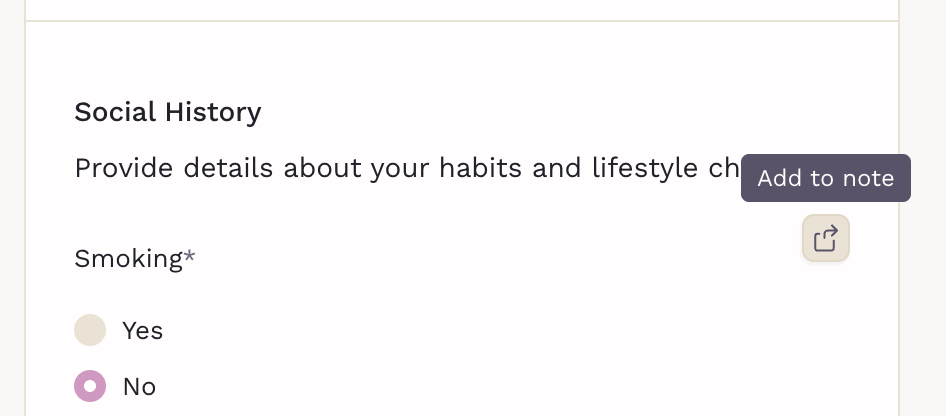
-
Attach to Note: links the form response as an attachment to the note. Found at the header of the form, with the PDF download option.
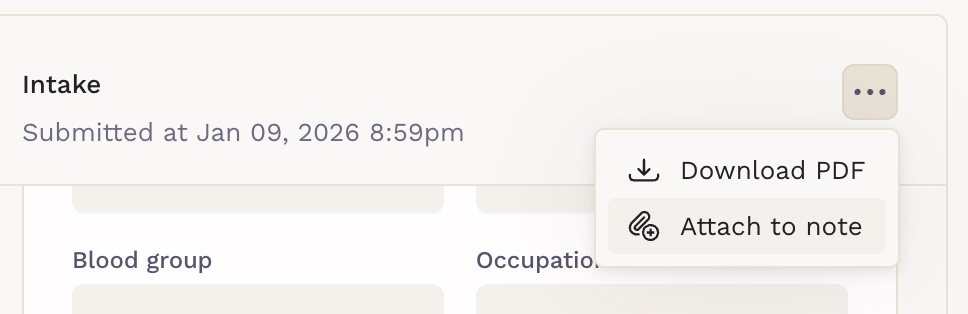
Both options are available from the patient chart under the Forms section.
Scribe: Early Start and Microphone Selection
Two improvements to Scribe for telehealth sessions:
- Scribe can now be activated as soon as you open the telehealth session, you no longer need to wait for the patient to join before starting.
- A microphone selector is now available, letting you choose which input device to use for recording.

Signature Field Improvements
Signature components in forms and fax documents now properly fit longer signatures and support resizing, just click and drag from one of the corners to resize it.

Calendar Updates
Appointment cards now show distinct visual shading for checked-in and checked-out statuses, replacing the previous behavior of confirmed appointments. This release also includes improvements to the calendar for smoother drag, resize, and overall performance.
Other Improvements
- Command Center: Patient search now displays member status and additional information alongside each result, reducing the need to open individual charts for context.
- Send Form: Inactive, archived, and deceased patients no longer appear in the patient picker when sending forms.
Can't See the Changes?
If you don’t see the updates right away, try performing a hard reload to refresh the platform properly. For detailed instructions, visit our guide.