
Release Notes – July 29, 2026
This update brings several improvements across the system, making it easier for patients to access telehealth visits, giving your team more control over forms, and speeding up the process of organizing and finding the right patients and codes.
Telehealth on the Web
Patients can now join a telehealth visit directly from a link, in any modern browser, on desktop or mobile. There is no need to download the Patient App and no account setup required before the visit starts.
When you start a telehealth call, the patient receives a join link via email and SMS. Opening the link takes them straight into the waiting room for that visit.
Forms: Lock, Edit responses, and Chart Integration
You can now lock a form response before the patient completes it. A locked form cannot be answered by the patient anymore until someone explicitly unlocks it.
This is also important if patients are stuck or haven't completed the form yet. By locking the form, you'll be able to review and even open it in edit mode to fill in what is missing, so an unfinished intake no longer holds up the visit. Everything the patient has already answered is preserved, and, if needed, unlocking hands access back to them.
Alongside locking, this release expands what forms can capture and where that data goes:
-
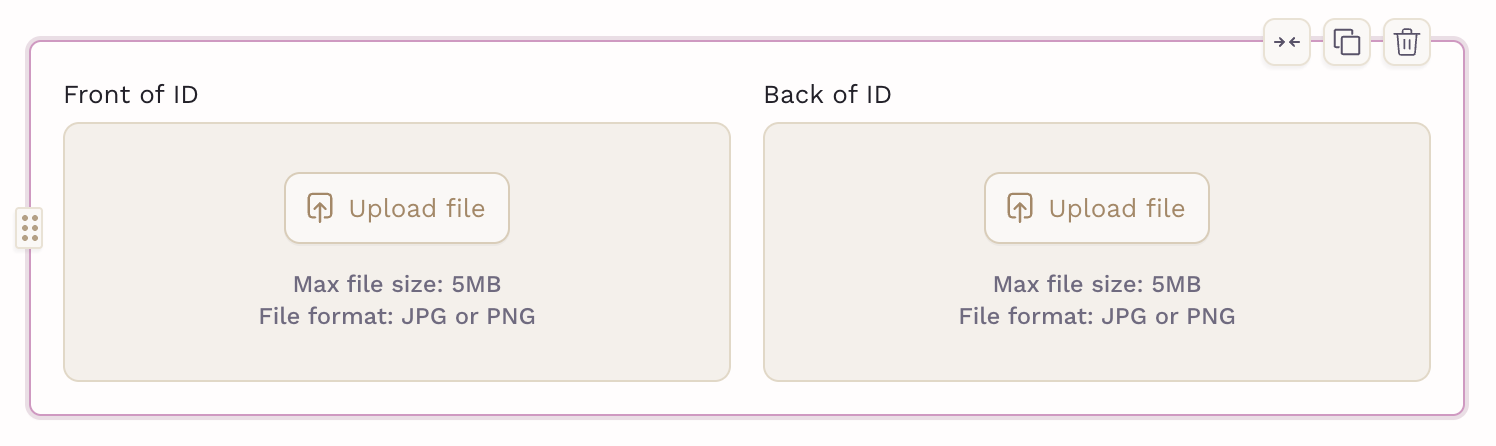
Patient ID component: A dedicated component for capturing patient identification, wired directly into the chart.
-
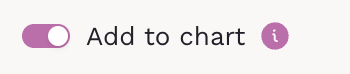
Chart integration for Personal Info, Contact Info and Address: Answers to these sections now flow into the patient chart instead of living only inside the form response.
- New clinical fields: Demographics, Cycle History and OB History gained additional fields. On OB History, the new fields stay hidden until Total pregnancies is greater than zero.
- Pending review card: An overview card surfaces responses waiting for review, with a confirmation step before you clear them.
- Larger forms: PDF forms now support up to 100 components.
Patient Tags
You can now create your own tags and apply them to patients. Tags appear on the patient chart, in the patients list, in broadcast targeting, and on the Command Center, so you can segment your panel however your clinic actually works: care programs, cohorts, follow-up status, or anything else.
Tags are also exposed through the Public API, so they can be read and set by your own integrations.

ICD-10 Favorites
Star the diagnosis codes your clinic uses most, and they will appear first in every condition picker. Favorites carry across the chart, lab orders, and referrals.
On referrals, a new "Patient diagnosis only" toggle limits the picker to codes already on the patient's problem list, which is faster when you are referring for a known condition.

Fax and Patient Drive
Faxing is now better connected to the rest of the document workflow:
-
Fax or send on chat: Send any document in a patient's drive as a fax or chat attachment, with a toggle to save the outgoing copy back to their files.

-
Reply and forward: Respond to or forward a received fax without re-uploading anything.

-
Annotate before sending: Add annotations to a PDF from the chat file preview or the drive, then fax the annotated version. Sent faxes keep their annotations.

- Image viewer: Images in the patient drive open in a viewer with zoom controls, and can be converted to PDF with one click.
Broadcast Updates
Before sending a broadcast, you can now preview the exact list of patients who will receive it. The list updates as you change your selection criteria, so you can confirm your audience before anything goes out.

A new Last Visit Date filter lets you target patients based on when they were last seen, useful for recall campaigns and re-engagement outreach.
Membership Cancellation and Remaining Cycles
When you cancel a membership with a minimum commitment, the confirmation step now shows how the remaining cycles will be billed and lets you choose how to handle the final invoice before it is issued.

Other Improvements
- Weekly failed payments digest: Admins receive a single weekly email summarizing failed payments, and the failed payments report gained additional filters.
-
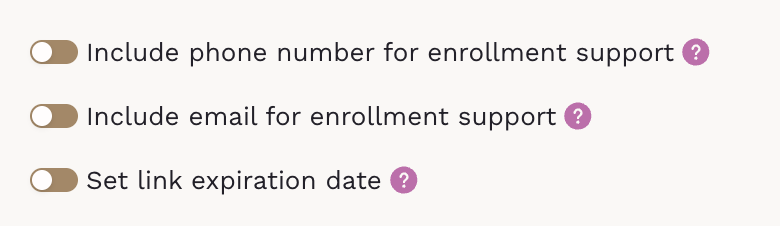
Enrollment link customization: Choose which contact fields appear on an enrollment link and set an expiration date for it.
- External enrollment reference: Signup flows can now capture and store an external reference for clinics that track enrollments in an external system. Learn more
-
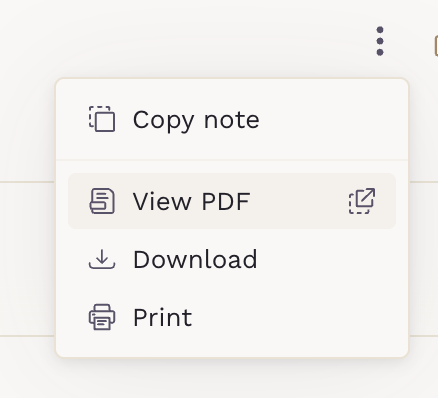
Signed notes: Signed clinical notes can be viewed as a PDF and downloaded together with their attachments. Open the PDF to annotate, send it via fax or chat as well.
Can't See the Changes?
If you don’t see the updates right away, try performing a hard reload to refresh the platform properly. For detailed instructions, visit our guide.