
Administering a Vaccine
SigmaMD records the vaccines your practice gives directly from the patient's chart. Each vaccine comes from your vaccine charge items, so its lot, expiration date and manufacturer are already in place, and ordering it adds the dose to the patient's vaccine history.
Starting a Vaccine Order
The syringe icon in the chart header opens Administer Vaccine. The patient needs a primary address on file. Without one, the icon is disabled.
When the practice has more than one location, select the Clinic location first. This sets which vaccines and lots are offered, and you can't change it once a vaccine is added.

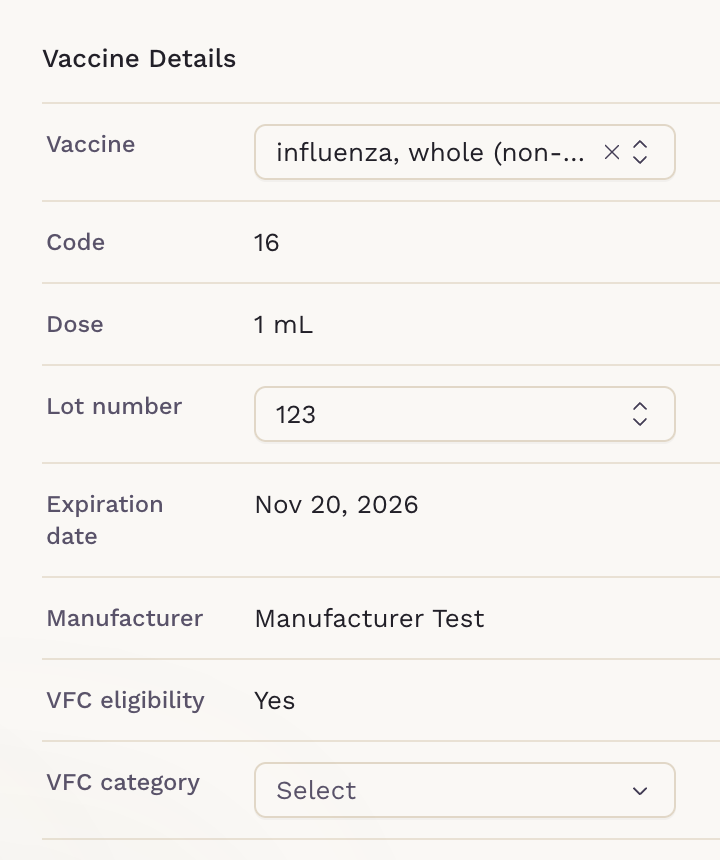
Vaccine Details
Under Vaccine Details, search for the Vaccine among the practice's vaccine charge items. The Lot number starts on the lot that expires first, and expired lots aren't listed. The code, dose, expiration date, manufacturer and VFC eligibility come with the item; a VFC vaccine also asks for the VFC category.
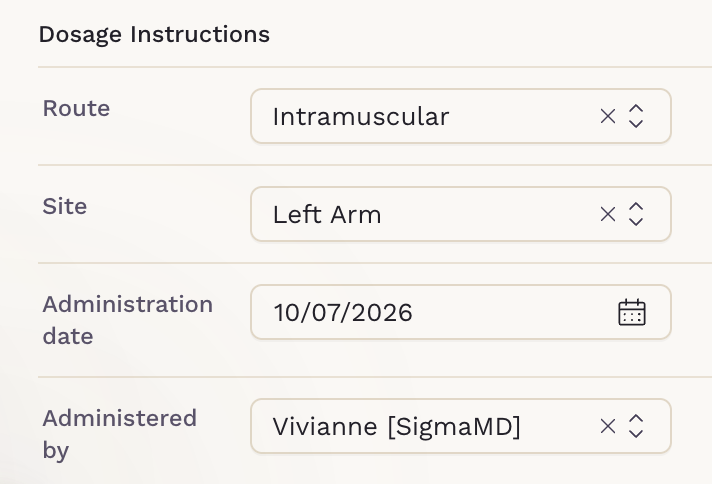
Under Dosage Instructions, select the Route and Site, check the Administration date and Administered by, then click Add.
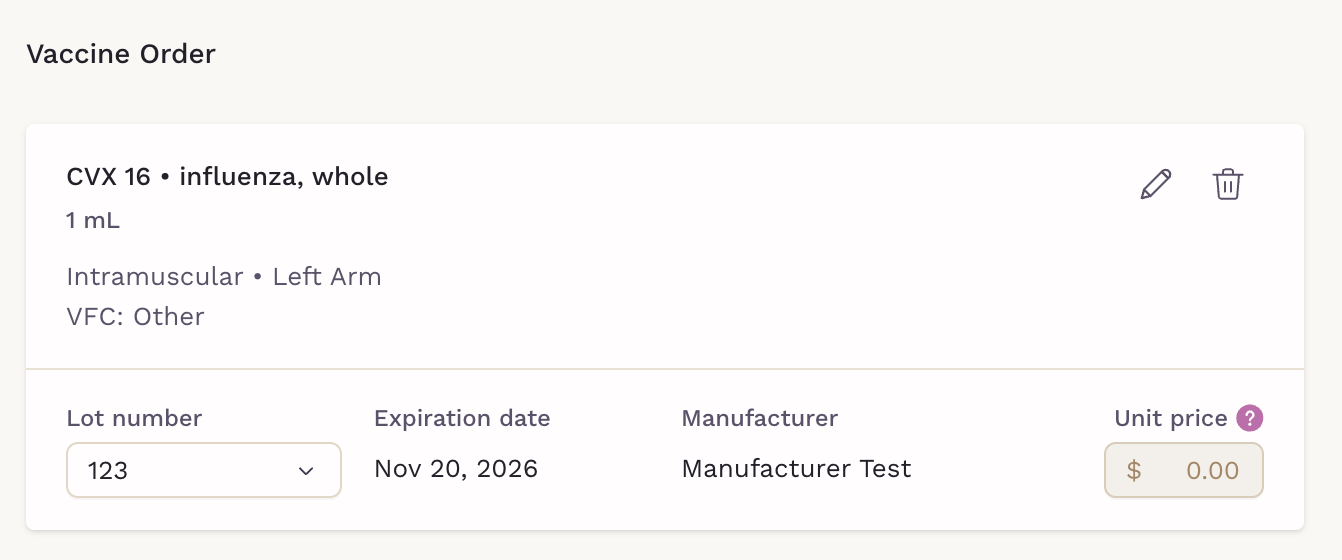
The Vaccine Order
Added vaccines build the Vaccine Order. Each vaccine can be edited or removed, and its Unit price, the amount used on the invoice, can be adjusted; VFC vaccines stay at $0.00.
The order is saved as a draft as you go. Drafts stay on the patient's Vaccines tab as Draft Order cards, and the chart Overview shows how many are waiting.
Clicking Order, available to ordering clinicians, records each vaccine in the patient's vaccine history. When your practice is connected to a state immunization registry, ordered vaccines are also reported to it, as described in State Immunization Registry.
After Ordering
Once the order is placed:
- VIS document downloads the Vaccine Information Statement, also saved to the patient's Files.
- The Invoice card shows the invoice the charges went to, with Change invoice to move them, or offers Create.
- View orders on the Vaccines tab lists the patient's Draft Orders and Completed Orders.
With automatic invoicing on, the charges are added to an invoice for you.
Every vaccine given in the clinic lands in the chart with its lot, VIS and charges together, ready for the next visit.