
Scored Forms
Scored Forms allow practices to collect structured responses and automatically calculate a score based on patient answers. They are commonly used for clinical screenings and assessments, such as mental health questionnaires, where a numeric result helps guide clinical decision-making.
Scored Forms are built using the same editor as Standard Forms, with additional settings for defining answer values, scoring rules, and score interpretation.
When to Use a Scored Form
Scored Forms are best suited for:
- Screening questionnaires (for example, mental health or substance use assessments)
- Forms where each response contributes to a numeric total
-
Clinical tools that require consistent scoring logic across patients
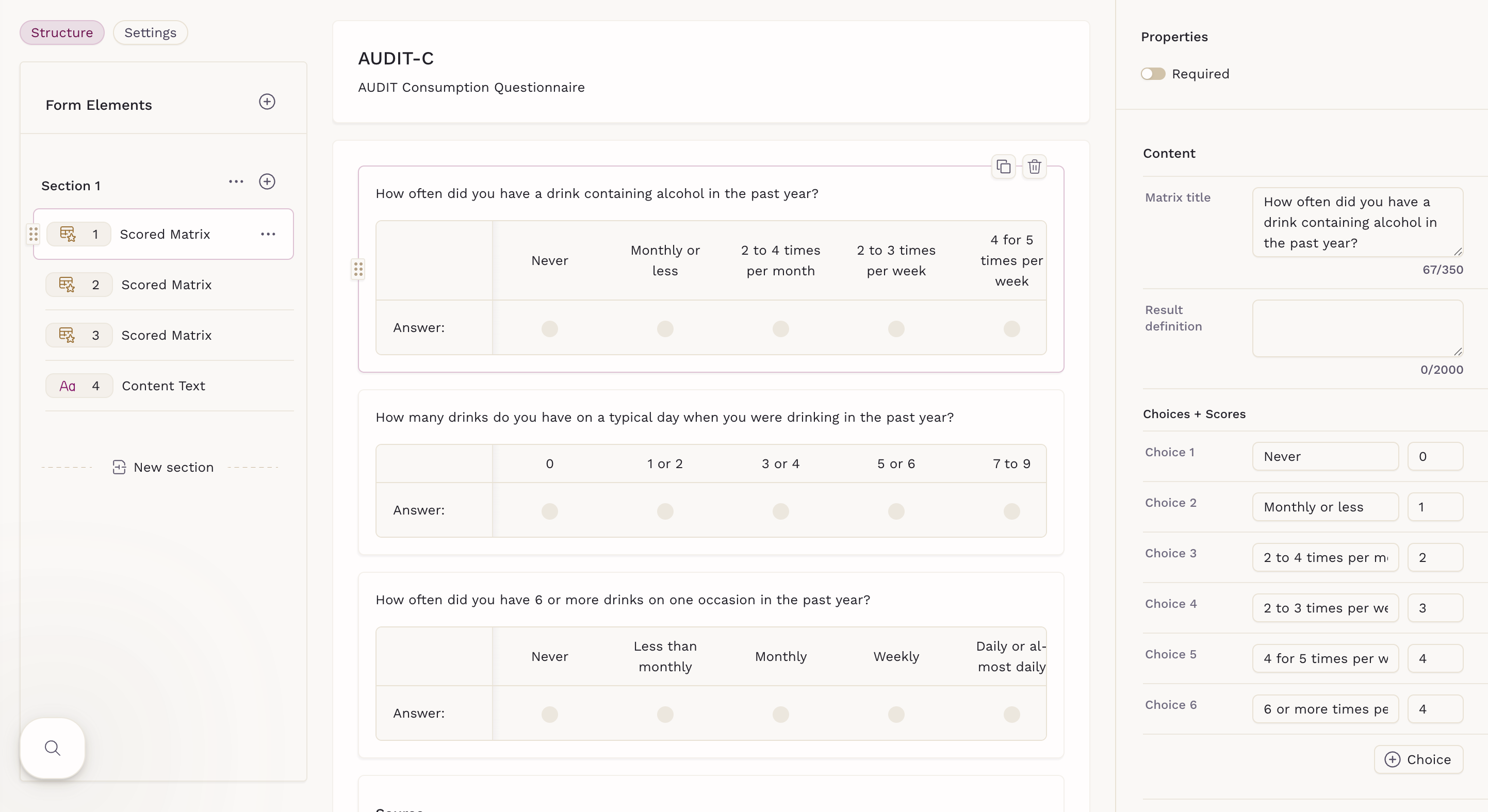
Patients do not see score values or scoring criteria. Scores are calculated in the background and available to clinicians after submission.
Creating a New Scored Form
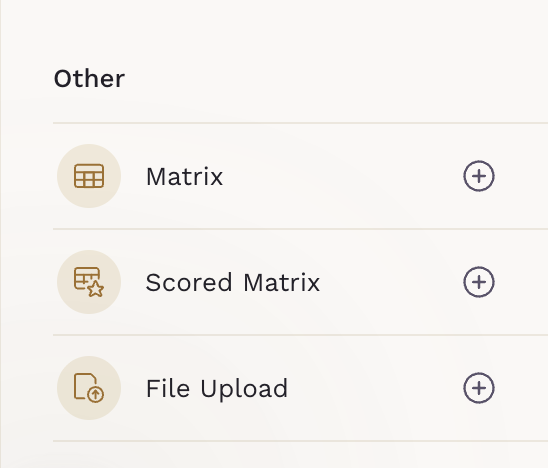
To create a Scored Form, go to Forms and click Add Form. Scored forms can be built using the standard builder or from a scoring-enabled template. When creating your own questions, you can add scoring by selecting a Scored Matrix element from the Other section in the elements list.
Configuring Scoring and Results
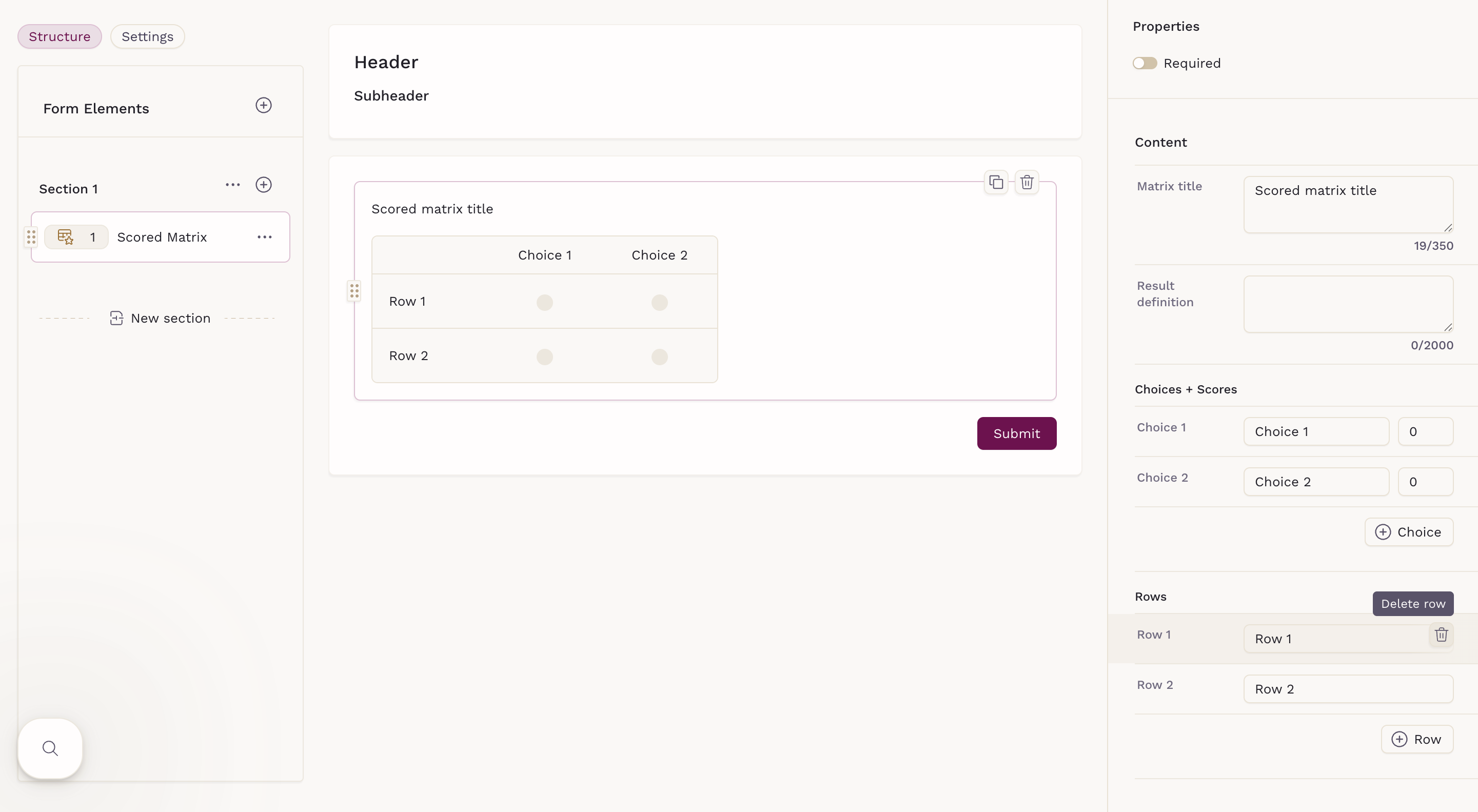
When a Scored Matrix is selected, scoring options appear in the right-side panel. From there, you can:
- Mark the question as required
- Set the matrix title shown to patients
- Provide a results definition, which helps clinicians interpret the final score. This content is not visible to patients
- Define the available choices and assign point values
- Remove rows as needed by hovering over the row
Summing Scores Across Multiple Scored Matrices
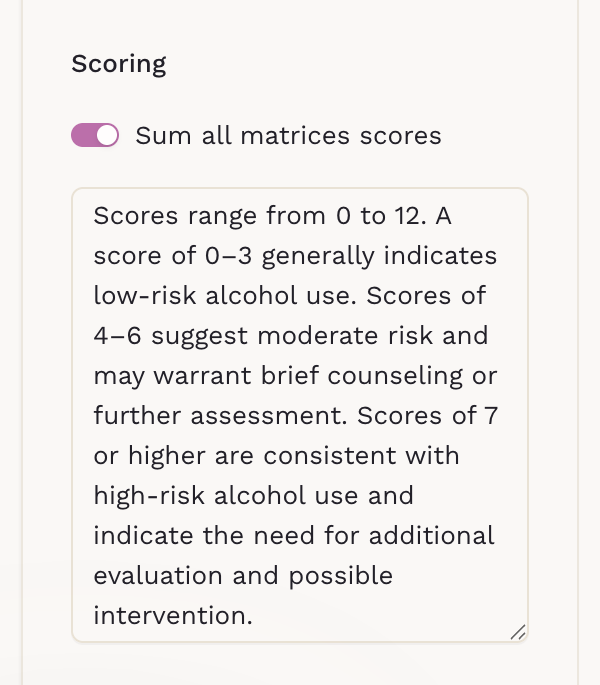
If your form includes more than one Scored Matrix question, you can choose to calculate a single total score across all matrices. In the Settings tab, enable Sum all matrices scores to combine the points from each scored matrix into one overall result.
This option is useful for assessments that span multiple questions but are interpreted as a single score. You can also add a Result definition to help clinicians understand how to interpret the combined score. This definition is for internal use only and is not visible to patients.
Patient Experience and Visibility
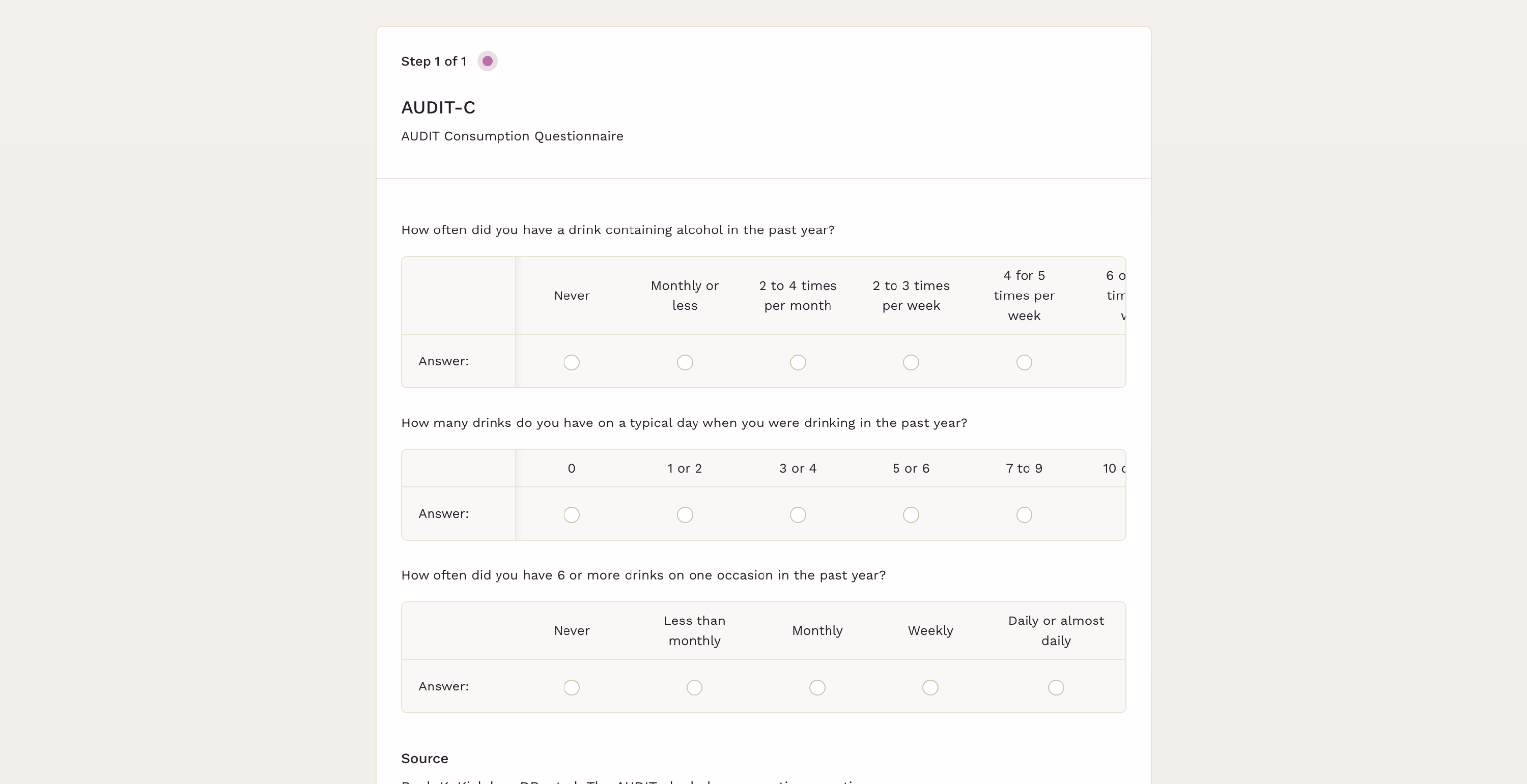
Patients can select one option per row (single selection), and the system calculates the total score based on the configured values. When completing a Scored Form, they see only the questions and selectable answers. They do not see:
- Individual scores
- Total score values
- Scoring criteria or thresholds
This ensures a neutral patient experience while preserving clinical context for review.
Reviewing Scored Form Submissions
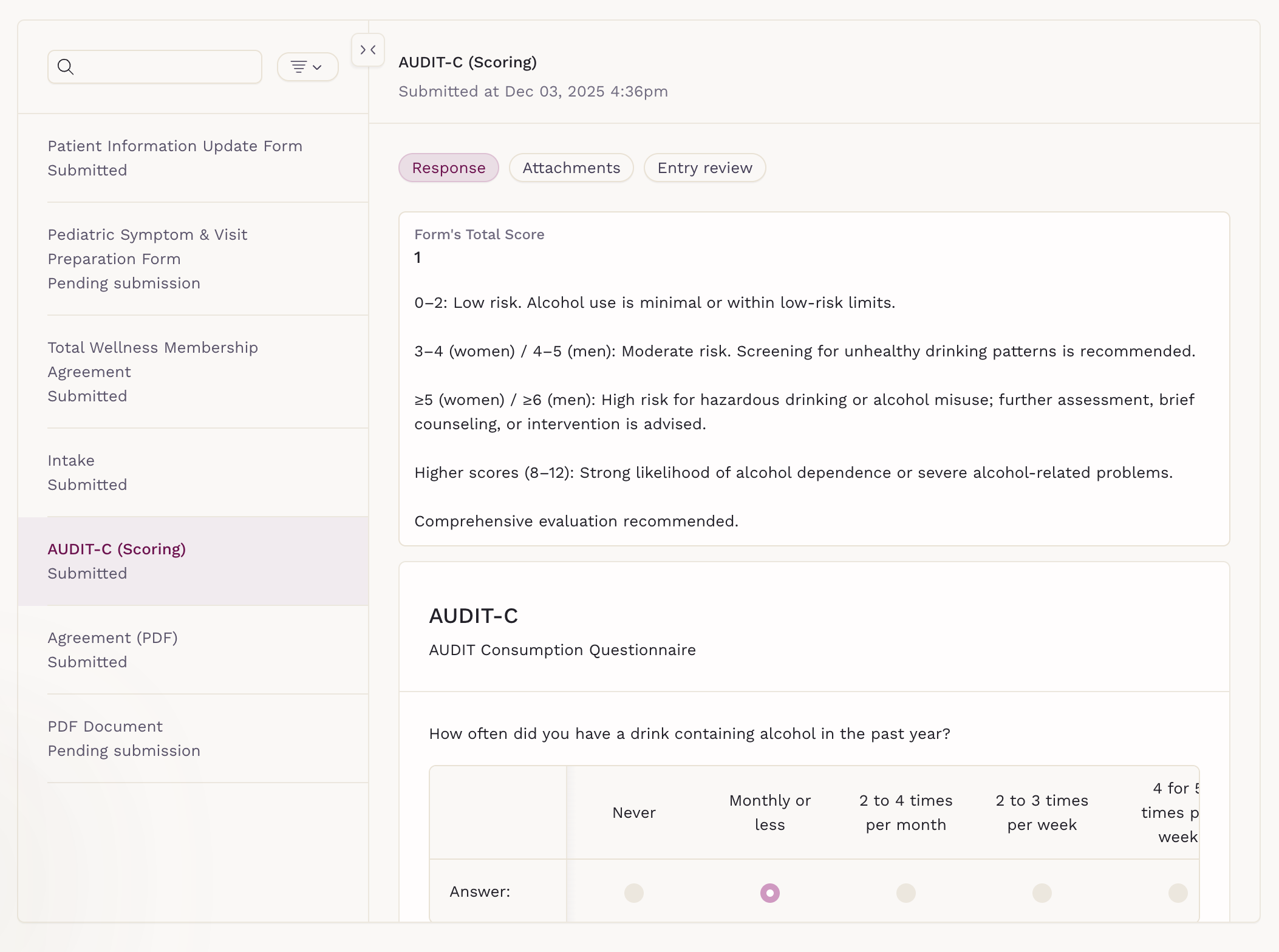
After submission:
- Scored Form entries appear in the Forms tab on the patient chart
- Clinicians can view the calculated score and responses together
Templates and Scored Forms
Some templates include preconfigured Scored Matrix elements. These templates must be duplicated before editing. Once duplicated, they behave like any other Scored Form and can be customized as needed.